Running a business often starts simply.
You may have a spreadsheet for customer information, an inbox for inquiries, a calendar for appointments and a notebook for follow ups. When your business is small, this approach can work perfectly well.
But as more leads begin arriving, more customers need attention and more people become involved, those separate systems can become difficult to manage.
Important conversations get buried. Follow ups are forgotten. Employees keep their own notes. Nobody is completely sure where each opportunity stands.
At that point, many business owners begin asking an important question:
Do I need a CRM?
A CRM can help organize your leads, customer conversations, appointments, opportunities and follow ups in one connected system. The real question is not whether every business needs one. It is whether your current process is still helping your business grow or beginning to hold it back.

What Does a CRM Actually Do?
CRM stands for Customer Relationship Management.
A CRM helps a business organize and manage its relationships with leads and customers. Instead of storing information across spreadsheets, inboxes, phones and notebooks, a CRM brings everything together in one place.
Depending on the system, a CRM can help you:
-
Capture new leads
-
Store customer contact information
-
Track emails, calls and text messages
-
Assign leads to team members
-
Schedule appointments
-
Organize sales opportunities
-
Send reminders and follow ups
-
Automate repetitive tasks
-
Measure which marketing produces results
A CRM is not simply a digital address book. It gives your business a structured process for managing every opportunity from the first inquiry through to the final sale and beyond.
Is a CRM Only for Large Companies?
No. A CRM can be especially valuable for a small business because every lead matters.
Large companies may use complex CRM systems across several departments, but small businesses often need something much more practical. They need a simple way to stay organized, respond quickly and prevent opportunities from being forgotten.
You do not need hundreds of employees or thousands of customers before using a CRM.
If your business regularly receives inquiries, provides estimates, books appointments or follows up with potential customers, a CRM may already be useful.
The right time to introduce a CRM is usually before your current process becomes completely unmanageable.
CRM Versus Spreadsheets
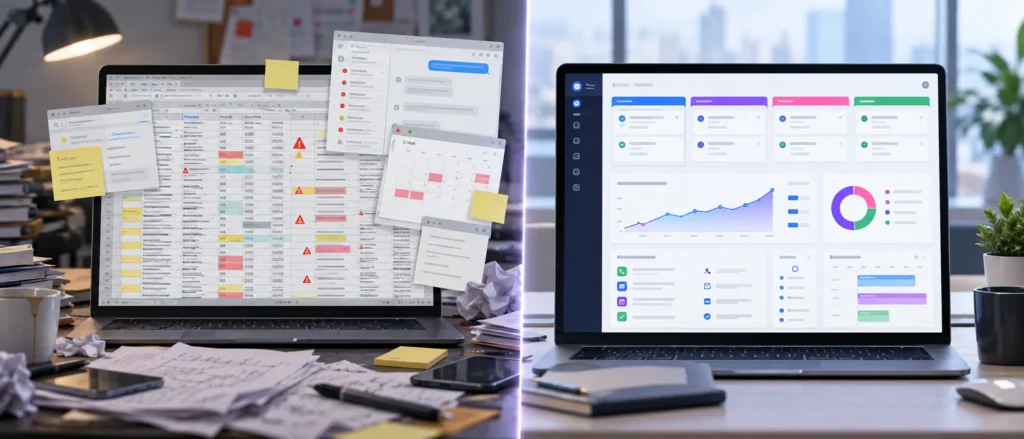
Spreadsheets are useful for storing structured information. You can create columns for names, phone numbers, email addresses, services and notes.
The problem is that customer relationships are constantly changing.
A lead might complete a website form, reply to an email, ask a question by text message, schedule an appointment and request a proposal. A spreadsheet can record some of this information, but it cannot easily manage the entire conversation or remind your team what should happen next.
A CRM is designed for activity, communication and follow up.
| Spreadsheet | CRM |
|---|---|
| Stores customer information | Organizes the complete customer relationship |
| Requires manual updates | Can update information automatically |
| Provides limited communication history | Keeps messages and activity connected |
| Does not automatically remind employees | Creates tasks and follow up reminders |
| Becomes difficult for teams to manage | Gives the team shared access and visibility |
| Provides limited sales tracking | Shows each opportunity inside a sales pipeline |
| Requires separate communication tools | Can connect email, text messages and phone calls |
A spreadsheet tells you what information you entered.
A CRM helps you understand what has happened, what is currently happening and what needs to happen next.
10 Signs Your Business Needs a CRM
1. Your Leads Are Stored in Different Places
Some leads may be stored in a spreadsheet. Others may be sitting in your email inbox, phone contacts, website forms, social media messages or handwritten notes.
When lead information is scattered across several locations, it becomes difficult to see the complete picture.
A CRM gives every lead one organized record where contact details, conversations, appointments and notes can be found.
2. Follow Ups Are Being Forgotten
A potential customer requests information, but nobody follows up.
Another person receives an estimate, but your team forgets to check whether they are ready to move forward.
These missed follow ups may seem small, but they can quietly cost your business a significant amount of revenue.
A CRM can create reminders and automated follow up sequences so leads do not disappear simply because your team became busy.
3. You Do Not Know Where Opportunities Stand
When someone asks how many open opportunities your business has, can you provide an accurate answer?
Can you see which leads are new, which need follow up, which have received a proposal and which are close to becoming customers?
A CRM pipeline gives you a visual overview of every opportunity. You can immediately see where each lead stands and what needs attention.
4. Employees Keep Separate Customer Notes
One employee may use a spreadsheet. Another may keep notes on a phone. Someone else may rely on their email inbox.
This creates gaps in communication and makes the business dependent on individual employees remembering what happened.
With a CRM, everyone works from the same customer record. Authorized team members can review previous conversations, notes, appointments and follow up activity without searching through several systems.
5. Customers Have to Repeat Themselves
A customer explains their situation to one employee and then has to explain everything again when speaking with someone else.
This creates frustration and makes the business appear disorganized.
A shared customer history allows team members to understand the previous conversation before responding. Customers receive a smoother experience because the business remembers them.
6. Appointment Reminders Are Sent Manually
If your team personally sends every appointment confirmation and reminder, valuable time is being spent on a repetitive task.
A CRM can automatically send appointment confirmations, reminders and follow up messages.
This reduces manual work and can also help decrease missed appointments.
7. Responding to New Leads Takes Too Long
People often contact several businesses when they need a service. The company that responds first has a better chance of starting the conversation.
If new inquiries sit unnoticed inside an inbox or website form, potential customers may move on.
A connected CRM can capture the inquiry immediately, notify your team and send an initial response while the lead is still interested.
8. You Cannot Tell Which Marketing Produces Customers
Your business may be investing in its website, search engine optimization, Google Ads, social media or email marketing.
But do you know which efforts are producing leads and which leads are becoming customers?
A CRM can help connect marketing activity with actual opportunities and sales. This allows you to make better decisions about where to invest your marketing budget.
9. Your Team Spends Too Much Time on Repetitive Tasks
Manually entering contact information, sending the same messages, creating reminders and updating spreadsheets can consume hours every week.
These tasks are necessary, but they do not always require a person to complete them.
CRM automation can handle many repetitive steps while allowing your team to focus on conversations, customer service and closing new business.
10. Growth Is Making the Business Feel Less Organized
Growth should be exciting. But without the right systems, additional leads and customers can create more confusion.
If every increase in business also increases missed messages, delayed responses and administrative work, your current process may not be able to support your next stage of growth.
A CRM creates a more consistent process that can continue working as your lead volume and team expand.
What Happens When Customer Information Is Scattered?
Scattered customer information creates more than an organizational problem.
It affects the customer experience and your ability to make decisions.
Employees spend time searching for details. Customers wait longer for answers. Managers cannot accurately measure performance. Opportunities are lost because nobody knows who was supposed to follow up.
The business may still appear busy, but activity does not always translate into progress.
Bringing customer information into one system makes it easier to identify problems, assign responsibility and maintain a consistent experience.
How a CRM Improves Follow Up
Most leads are not ready to buy during their first conversation.
They may need more information, time to compare options or approval from another person. If your business only follows up once, many legitimate opportunities may be lost.
A CRM can improve follow up by helping you:
-
Create reminders for team members
-
Schedule emails and text messages
-
Respond automatically after a form submission
-
Follow up after an appointment
-
Reconnect with inactive leads
-
Notify your team when someone replies
-
Personalize messages using customer information
Automation does not mean every message has to sound generic. The goal is to support your team and maintain communication while still allowing real people to take over when a personal conversation is needed.
How Pipelines Show Where Every Opportunity Stands
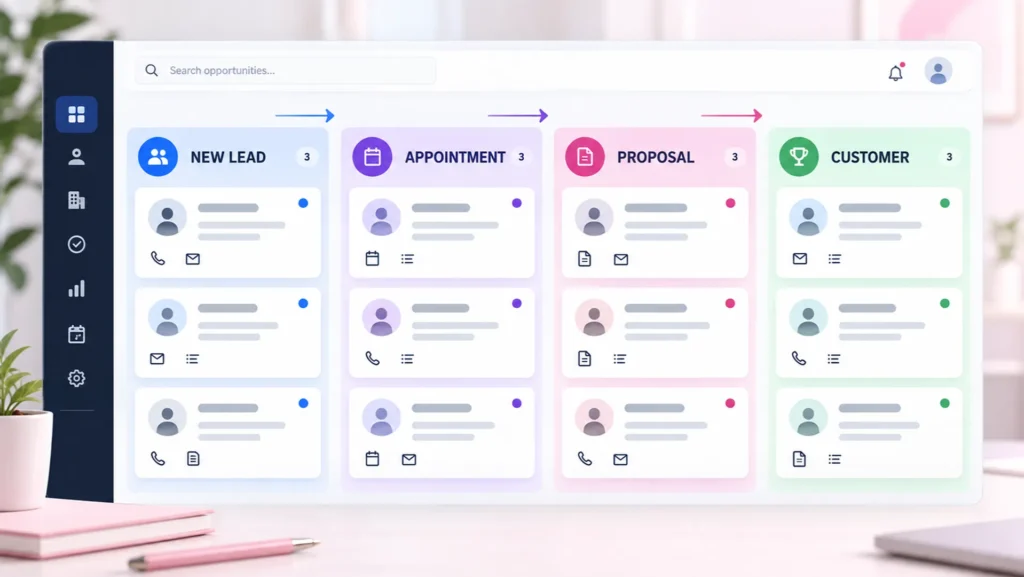
A sales pipeline provides a visual representation of your sales process.
Each opportunity is placed into a stage based on its current status. Your stages might include:
-
New lead
-
Contacted
-
Appointment booked
-
Estimate provided
-
Follow up required
-
Won
-
Lost
Instead of reviewing rows inside a spreadsheet, your team can see every active opportunity and move it through the pipeline as progress is made.
This makes it easier to identify stalled opportunities, prioritize follow ups and estimate potential future revenue.
What Can CRM Automation Handle?
CRM automation can take care of many routine activities that would otherwise require manual work.
For example, automation can:
-
Send an immediate response to a new inquiry
-
Notify a team member when a lead arrives
-
Send appointment confirmations and reminders
-
Create follow up tasks
-
Send messages after missed calls
-
Follow up after proposals are delivered
-
Request customer reviews
-
Reconnect with older leads
-
Move opportunities through a pipeline
-
Deliver useful information based on a customer’s interests
The purpose of automation is not to remove people from the customer relationship. It is to make sure important actions happen consistently and at the right time.
Which CRM Features Do Small Businesses Actually Need?
The best CRM for a small business is not necessarily the system with the longest feature list.
It is the system your team can understand and use consistently.
For most small businesses, the essential CRM features include:
-
Centralized contact records
-
A shared conversation inbox
-
Lead capture forms
-
Appointment scheduling
-
Sales pipelines
-
Follow up reminders
-
Email and text messaging
-
Workflow automation
-
Reporting and lead source tracking
-
Mobile access
-
Simple integrations with existing tools
Before selecting a CRM, identify the specific problems you want it to solve. A complicated platform will not help if your team avoids using it.
Why Connected Systems Outperform Separate Tools
Many businesses already have several useful tools.
They may use one platform for email marketing, another for appointment scheduling, another for website forms and a spreadsheet for lead tracking.
Each tool may work well individually, but problems arise when they do not communicate with one another.
Information must be copied manually. Customer histories remain incomplete. Employees switch between several screens to understand a single lead.
A connected system allows information to flow automatically from one part of the customer journey to another.
The lead can be generated, captured, followed up with, moved through a pipeline and supported after the sale without rebuilding the customer record at every stage.
How Thrive Connects the Complete Customer Journey
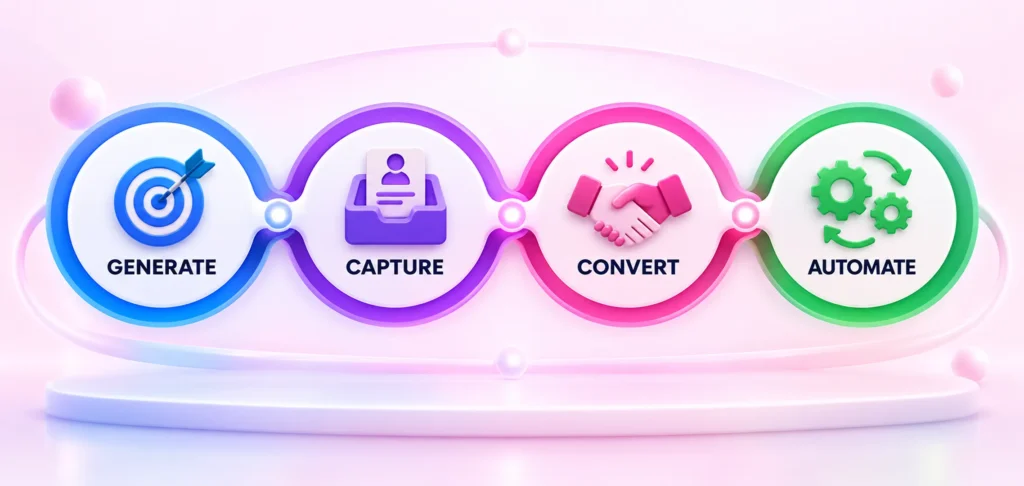
Thrive brings lead generation, lead capture, lead conversion and automation together in one complete system.
Instead of asking your business to manage several disconnected platforms, Thrive creates a connected process:
Generate: Attract potential customers through your website, search engines, advertising, social media and other marketing channels.
Capture: Bring inquiries from forms, phone calls, messages, chat and appointments into one organized system.
Convert: Manage conversations, track opportunities and guide leads through a clear sales pipeline.
Automate: Send reminders, maintain follow up and complete repetitive tasks automatically.
This allows your business to see the complete journey from the first interaction to the final result.
Explore how each part of the system works:
So, Do You Need a CRM?
You may not need a CRM simply because other businesses use one.
You need a CRM when your current process can no longer reliably manage your leads, conversations, appointments and follow ups.
If customer information is scattered, opportunities are being forgotten or growth is creating confusion, it may be time to replace spreadsheets and separate tools with a connected system.
The right CRM should make your business easier to manage. It should give your team greater visibility, reduce unnecessary manual work and help every lead receive the attention it deserves.